I'm honestly surprised this isn't already a feature.
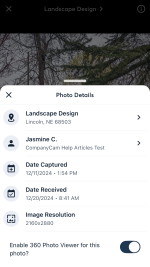
The mobile app should have a toggle for taking photos with a handheld 360 camera that is bluetooth connected to the mobile device. I should be able to select my Insta360 camera as the source of photos. Then, the desktop website would need to add support for viewing/interacting with 360 photos.
Looking for solutions to doing jobsite walkthroughs with a 360 camera. We already subscribe to companycam and would love it if this was in the product offering. I don't want another subscription.
Another facet of this could be to add support for drawing sets. Going on a site walk?
1. Create new companycam project
2. Upload drawing set
3. Walk through job with 360 camera, taking photos and mapping them to the drawing set.
4. Review drawing set back at a computer and view the 360 photos, mapped to specific locations on the drawing set.
Real-estate agents do this, and I think companycam should as well.
The mobile app should have a toggle for taking photos with a handheld 360 camera that is bluetooth connected to the mobile device. I should be able to select my Insta360 camera as the source of photos. Then, the desktop website would need to add support for viewing/interacting with 360 photos.
Looking for solutions to doing jobsite walkthroughs with a 360 camera. We already subscribe to companycam and would love it if this was in the product offering. I don't want another subscription.
Another facet of this could be to add support for drawing sets. Going on a site walk?
1. Create new companycam project
2. Upload drawing set
3. Walk through job with 360 camera, taking photos and mapping them to the drawing set.
4. Review drawing set back at a computer and view the 360 photos, mapped to specific locations on the drawing set.
Real-estate agents do this, and I think companycam should as well.


 Thanks for sharing your feedback!