Feature Request: Folders or Collections in the Documents View
I like the recent change combining Reports and Pages into the Documents area, and I also appreciate that Documents are searchable and can be filtered.
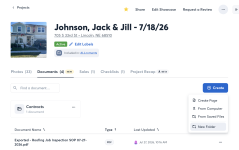
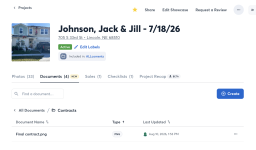
I would love to see an additional organizational layer added: folders, collections, or some similar way of grouping documents within a project.
As CompanyCam becomes a more complete project record, the Documents area can quickly contain very different types of information:
My biggest concern is quick field access.
If one of my crew members needs the site plan, permit or latest drawing while standing on a job, I want them to be able to open the project, go to Documents → Drawings and immediately find it.
If finding a document requires searching, remembering its name, selecting the correct filter, or scrolling through a mixture of daily reports, notes, permits and drawings, field adoption becomes much more difficult.
A simple folder structure could make the Documents area much more useful as the project's working reference library.
For example:
Documents
Search and filters are excellent for finding something. Folders are excellent for knowing where something is.
For office use, either method works. In the field, reducing the number of taps and decisions required to reach an important document can make the difference between the crew actually using the project documentation and simply calling or texting someone to ask where it is.
As more project information moves into CompanyCam, having a simple organizational structure within Documents would help make it practical as both the project record and the crew's everyday field reference.
I like the recent change combining Reports and Pages into the Documents area, and I also appreciate that Documents are searchable and can be filtered.
I would love to see an additional organizational layer added: folders, collections, or some similar way of grouping documents within a project.
As CompanyCam becomes a more complete project record, the Documents area can quickly contain very different types of information:
- Daily Reports
- Weekly Reports
- Permits & Inspections
- Site Plans
- Drawings
- Specifications
- Project Notes
- Client Documents
- Other project-specific records
My biggest concern is quick field access.
If one of my crew members needs the site plan, permit or latest drawing while standing on a job, I want them to be able to open the project, go to Documents → Drawings and immediately find it.
If finding a document requires searching, remembering its name, selecting the correct filter, or scrolling through a mixture of daily reports, notes, permits and drawings, field adoption becomes much more difficult.
A simple folder structure could make the Documents area much more useful as the project's working reference library.
For example:
Documents
- Daily Reports
- Weekly Reports
- Permits & Inspections
- Plans & Drawings
- Specifications
- Project Notes
Search and filters are excellent for finding something. Folders are excellent for knowing where something is.
For office use, either method works. In the field, reducing the number of taps and decisions required to reach an important document can make the difference between the crew actually using the project documentation and simply calling or texting someone to ask where it is.
As more project information moves into CompanyCam, having a simple organizational structure within Documents would help make it practical as both the project record and the crew's everyday field reference.