Hey Koren!
Thanks for bringing this over here after our chat today. I've already tagged you on the feature requests for both moving Documents/Folders between Projects and bulk deleting Documents. So if either of those ships, you'll hear about it.
Straight answer on the Folder question: Folders live inside a single Project right now, so there's no way to pick one up and drop it into another Project. Same story for the PDFs inside it. Not the answer you wanted, and I'm not going to pretend the download-and-reupload route is fun.
A couple things that should actually save you time, though:
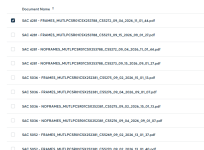
Bulk moves just got way better. As of last week you can hover any Document row, click the checkbox, and a bar pops up with a running count and a
Move to Folder button. Best part — your selections stick while you search, so you can grab a few, search for more, keep adding to the same batch, and move them all in one shot. There's no true "select all" button yet, but that's actively being worked on along with a few other bulk actions.
 And nice catch on the delete workaround.
Dropping everything into a
Folder and deleting the Folder really is the fastest way to clear a batch today — you found the shortcut!
For those PDFs in the wrong Project: download them from the Documents tab, then
upload them back into the correct Project. Still a haul, but it's a one-time cleanup.
Keep the feedback coming and thanks for sticking with us on it.