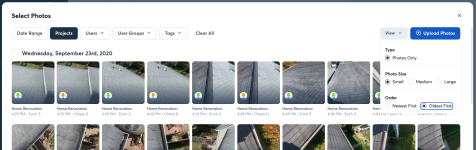
The photos start with the most recent photo first, but I've never wanted to show anyone the very last thing first. When i show reports, it makes the most sense to start at the beginning, and move through the report until the end. Rearranging is not in a good state right now, so rearranging 100 photo to show from start of a project to the end of a project just isn't an option. I'd spend my entire day rearranging reports


 You can also create a report directly from the Project page by selecting photos and then using the blue banner that appears up top in the web app. If you're going that route, be sure to use the View drop-down here as well and select Oldest First before you start selecting photos.